
Spend more time designing and less time managing details.
Pirros uses AI to find, organize, and place the right details from your firm’s past projects. No more redrawing details on the fly.
Describe the condition, not the file name
- Typos
- Your firm’s abbreviations
- Product names
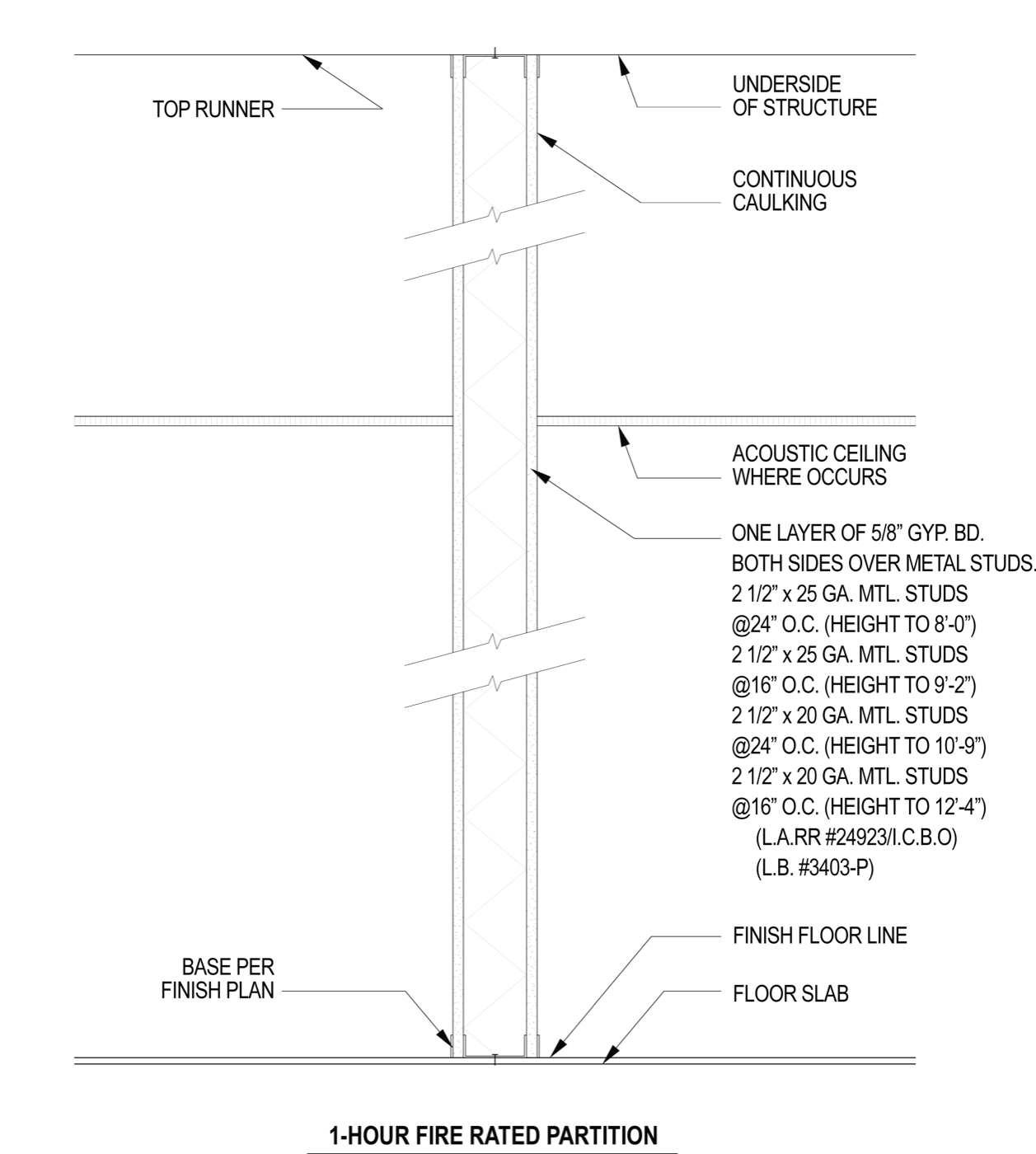
- Partition, 1 hour rated, metal studMedical center · CDTop match
- Partition, non-bearing, wood studCivic center · CD
- Partition head at structureMultifamily · CD
Find, trust, and place every detail

Search by what’s actually drawn
Computer vision reads the geometry and the annotations inside the drawing, so you can find a detail by the condition it solves, rather than by a naming convention.

Organized instantly, no manual tagging needed
Just upload past projects, and they’re immediately searchable. Details arrive linked to the sheets they sit on, with duplicates grouped and your firm’s vetted version marked.

Use live 3D project details that stay tied to the model
Upload a detail cut live from the model and search it like any other detail. Model elements are visualized, but left behind if reused. You can also promote a live detail to your firm’s standard library or overlay with similar details.
The detail already exists. Finding it is the hard part.
A project is completed, and its details are buried in a file nobody opens. Months later, the same condition comes up on a different project, and finding the current version of the detail is harder than drawing it again.
- The same condition redrawn on the fly, under deadline
- Detail is buried in a project folder you can’t find
- Errors, rework, and RFIs surface after the set goes out
Northgate Commons
Riverside Academic
Health Education Bldg
Your past projects become searchable the moment you upload them.
You import your past projects. Pirros makes every detail that your firm has ever drawn instantly accessible by the condition it solves.
- No tagging, no renaming, no folder structure to agree on first
- Every result is marked firm-approved or reference only
- Live details and drafting views from past projects can require a senior sign-off, so nothing lands in a set without someone who knows why it was drawn that way
The more you use it, the more your firm’s knowledge compounds.
Every project you deliver adds to what the next team can accomplish. Teams land on firm-approved details by default, managers can see what the firm actually relies on, and each detail is linked to the sheets, families and references it needs.
- A junior reaching for the approved detail is how firm standards get taught
- Usage visible across teams, offices, and project types
- Sheets, families and view references travel with the detail

Results
Firms like yours, already seeing the difference.
400+
Firms globally building on Pirros
1,000+
Hours recovered annually
4.2M+
Assets made searchable
30+
Hours saved per project
How Lake Flato made decades of firm knowledge searchable
Adopting Pirros allowed Lake Flato’s team to spend more time designing, instead of hunting through past projects for work the firm had already done.
- 50%
- Less time opening old models
- $200K+
- Saved annually
"I pulled up Pirros during a meeting with a colleague to look at some different details together and we were thrilled at how fast it was to compare details and discuss assemblies with this tool."
Daniel Stine
Director of Design Technology, Lake Flato Architects

One platform for every part of the drawing set

Platform Overview
The AI design platform that allows you to find, trust, and build on everything your firm has ever solved.
Learn more
Standard & Project Content
Promote the details and families your projects repeat into vetted firm standards.
Learn moreFamily Management
AI-powered computer vision to search and quickly download Revit families.
Learn more
Review & Collaboration
Share feedback and markups, and hand off instantly to teammates.
Learn more
Connections
The Pirros MCP for Claude and ChatGPT, the API for your own apps, and Pirros inside Revit.
Learn more
Put your firm’s knowledge to work.
Set up a time with our team and see Pirros for yourself. Or start with Mira for Revit, which is free.