We Built Mira. Then I Used It to Model Our Home Renovation.
How I used Revit AI to model our home renovation: walls traced from a listing plan, cabinet families edited by prompt, and 3D views turned into renders.

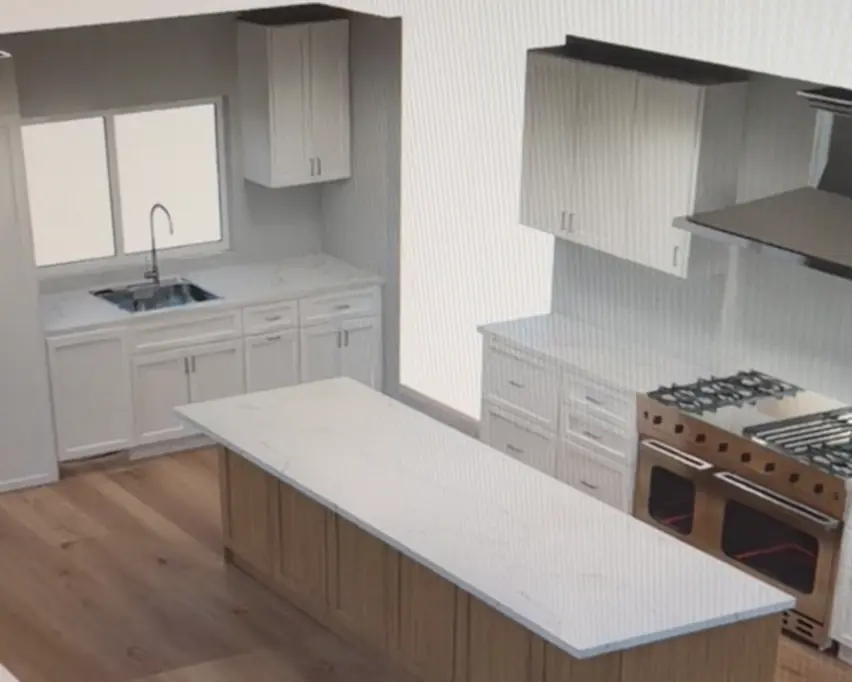
This year, my fiancee and I bought a house that needed a full gut remodel. We didn't change the footprint of the house or the exterior walls, but almost everything inside the walls was redesigned. We kicked off renovation in March 2026, and we moved in 6 months later.
Before starting renovation, I first recreated the whole house in Revit, so that we could experiment with the new layout, the cabinets and the finishes. I spent years as a structural engineer, so I know how to design the nuts and bolts of buildings. But I had never modeled a house in Revit before, and I had never opened the family editor.
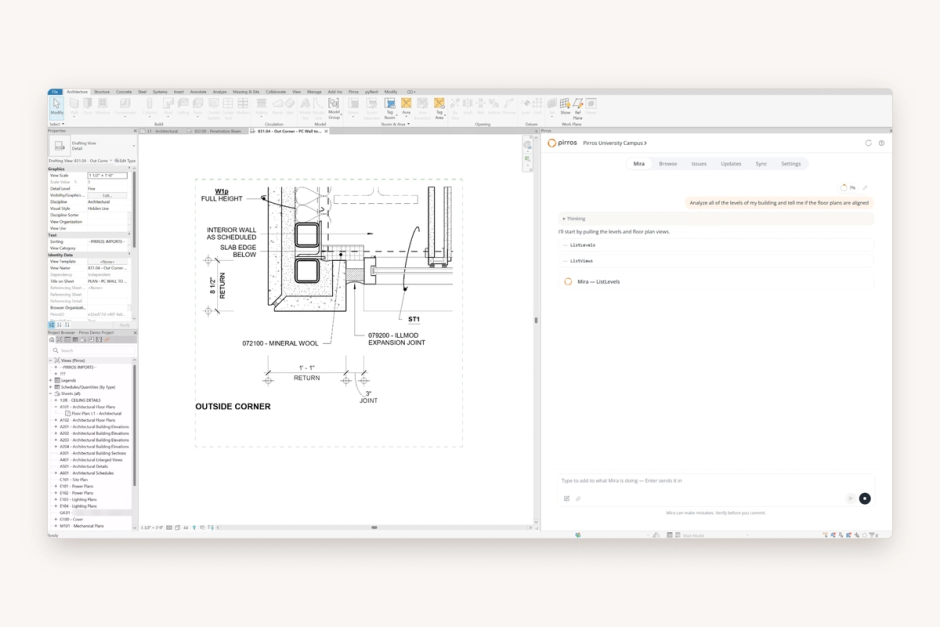
This presented me with a fun application for Mira, the AI agent for Revit we built at Pirros. Mira did the modeling with me, from the listing floor plan to the cabinet families to a 3D camera in every room. I described each change in plain English, watched what it did, and undid anything it got wrong.
From a listing floor plan to a Revit model
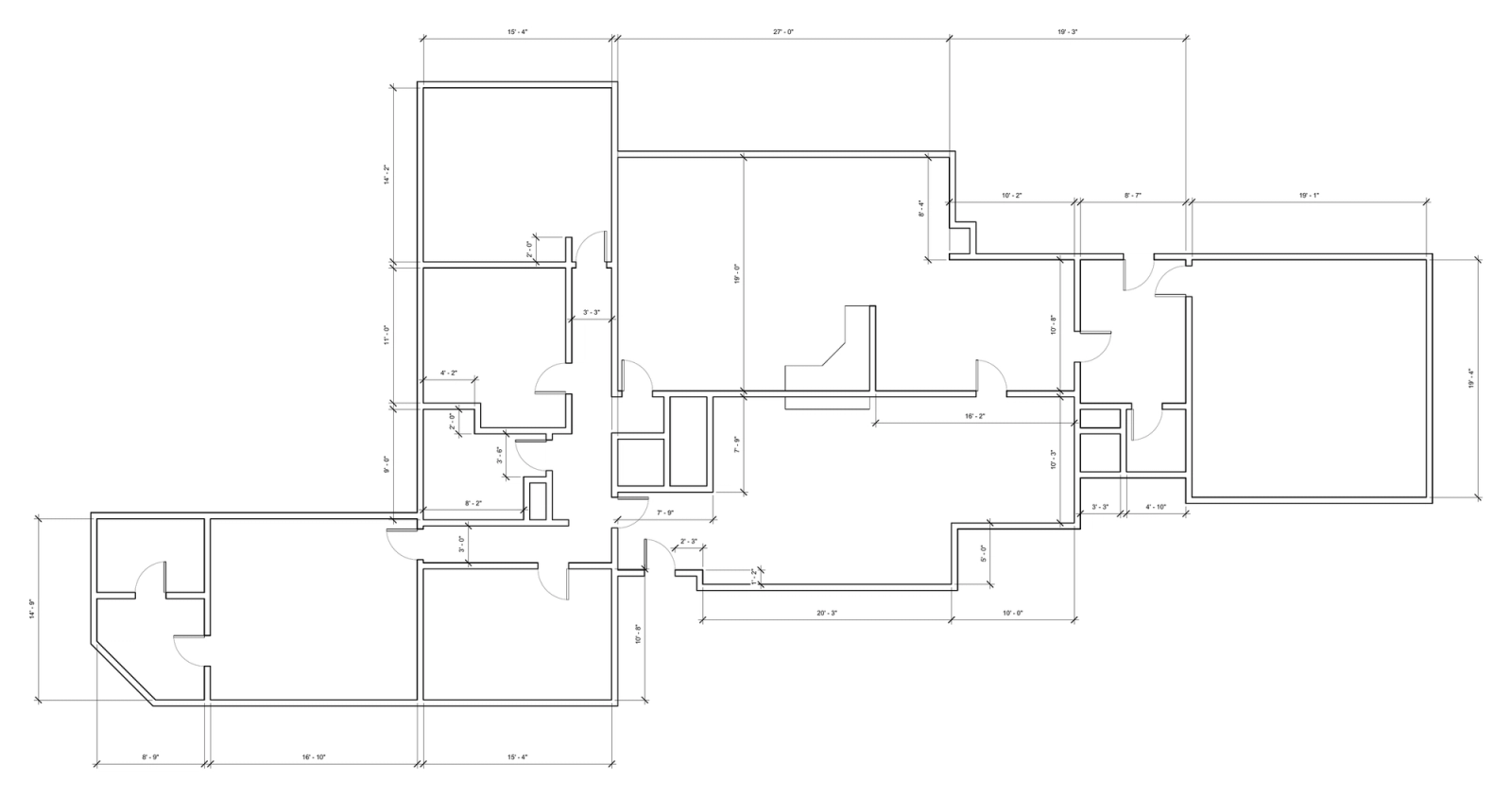
Mira turned the floor plan image from our real estate listing into Revit walls. The listing plan had room names and rough sizes, and one line of fine print at the bottom: "All dimensions are approximate." We gave that image to Mira, and it brought the plan into Revit and drew the walls from it.
Approximate wasn't good enough to lay out a kitchen. So before we moved any walls, we went through the house with tape measures. The listing turned out to be close: the model needed only a few small adjustments, and Mira made those too. That became our existing floor plan, the one we sent to our interior designer and our structural engineer.
Redesign the layout by asking Mira
Every layout change, from walls to windows to furniture, was done by communicating with Mira in plain English. We doubled the size of the kitchen, opened the main floor into one space, and moved a bathroom. The exterior walls stayed put, but we opened up new doors and windows and modeled them all. We also placed the furniture to check that everything fit: a sectional couch, a dining table, a kitchen island, and all the cabinets and appliances.

A lot of the back-and-forth is repetitive work that Mira excels at. It also allowed me to model at a much higher level of detail than I could have on my own. Throughout the process, I asked Mira to check its own work. At one point, the model had three casement windows drawn opening into the house instead of out. Mira found the problem, identified the exact windows, flipped them, and took screenshots to confirm the fix.
The first time I did this, it took a couple of minutes, slower than selecting the windows manually. But Mira was building up tools for our model as it worked. Once it had built the tool, running it again only took a few seconds, regardless of how many windows we ran it on.
I could also show Mira what I wanted with a picture. I found a photo on Pinterest of a corner window where the glass runs all the way into the corner. I asked Mira to change two of our windows to match it. It understood the photo and saw that the model had no window family in that style. It checked the Revit families I already had, then duplicated an existing family and edited it to fit. It did the same again and again for couches, cabinets, and vanities that weren't quite right. I found this to be the most impressive part of the exercise.
Revit kitchen cabinets, without learning the family editor
The cabinets are the part I could never have done myself. Cabinets in Revit are families, and changing one means working in the family editor, which I had never used. So for anything beyond changing an instance parameter, I described the change, Mira made it, and I checked the result.
Here's a concrete example. I placed a base cabinet that was three feet wide and needed it to be four. So I asked Mira to make it four feet. It opened the family, gave it a width parameter, stretched it to four feet, saved the family and placed it back in the model.
Most of my prompts were that plain. These are copied from my prompt log:
- "i just selected a new upper cabinet. duplicate the type and make it 18 in wide, single door."
- "I just selected a countertop, can you add base cabinets below the countertop next to the dishwasher?"
- "Look at my view. There are 3 sets of upper cabinets in the view. Lets make them all full height to the ceiling."
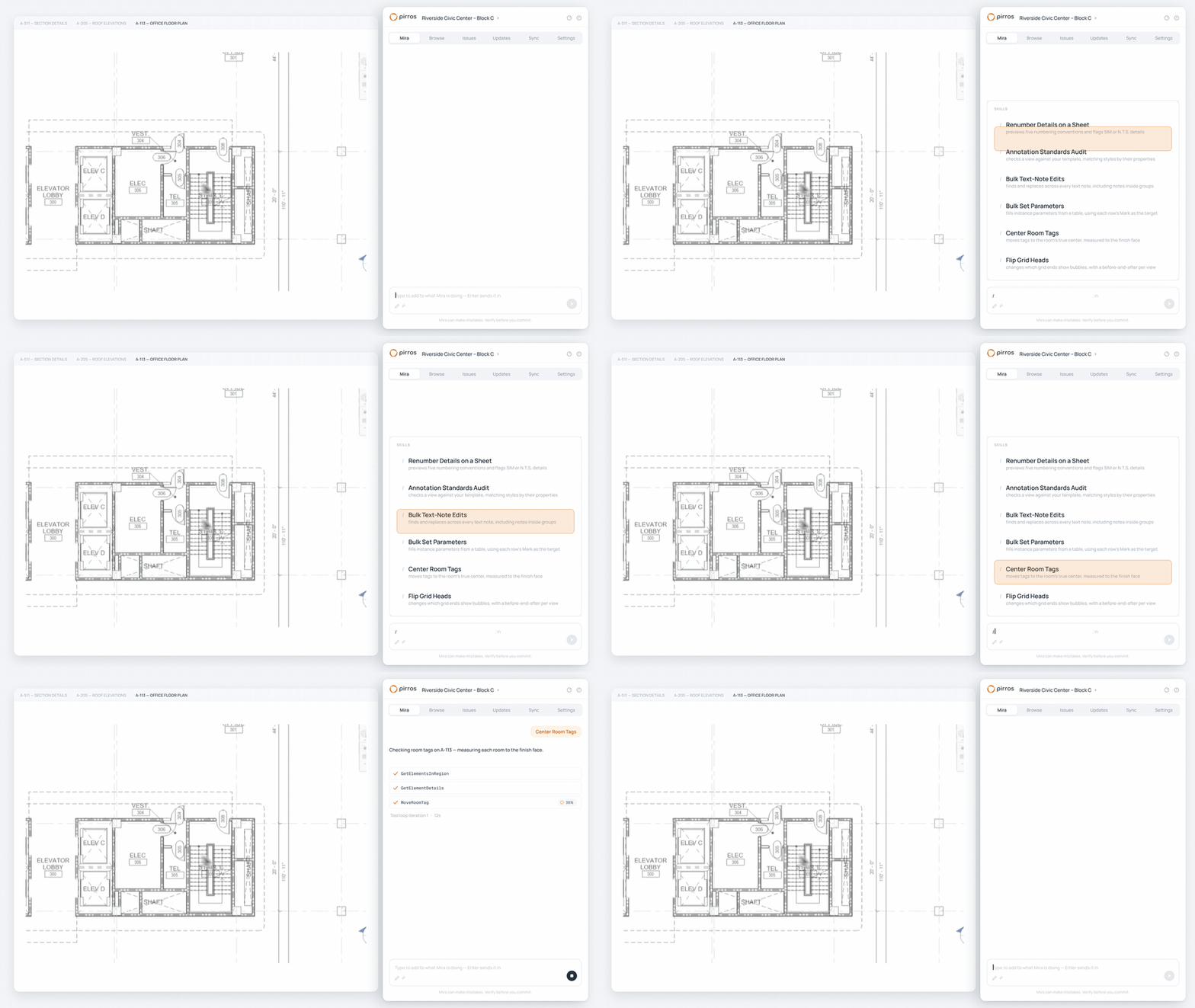
Mira can do this because it works through the Revit API, the same interface Revit add-ins are built on. When none of its tools fits a job, it writes one for that job. It shows you its plan before it touches anything, and you approve it, edit it, or stop it. I had Mira review its work after each change, which also helped me understand what it did. When it got something wrong, I undid it and tried again: a single Ctrl+Z reverses the whole change, not element by element.
From the Revit model to AI renders
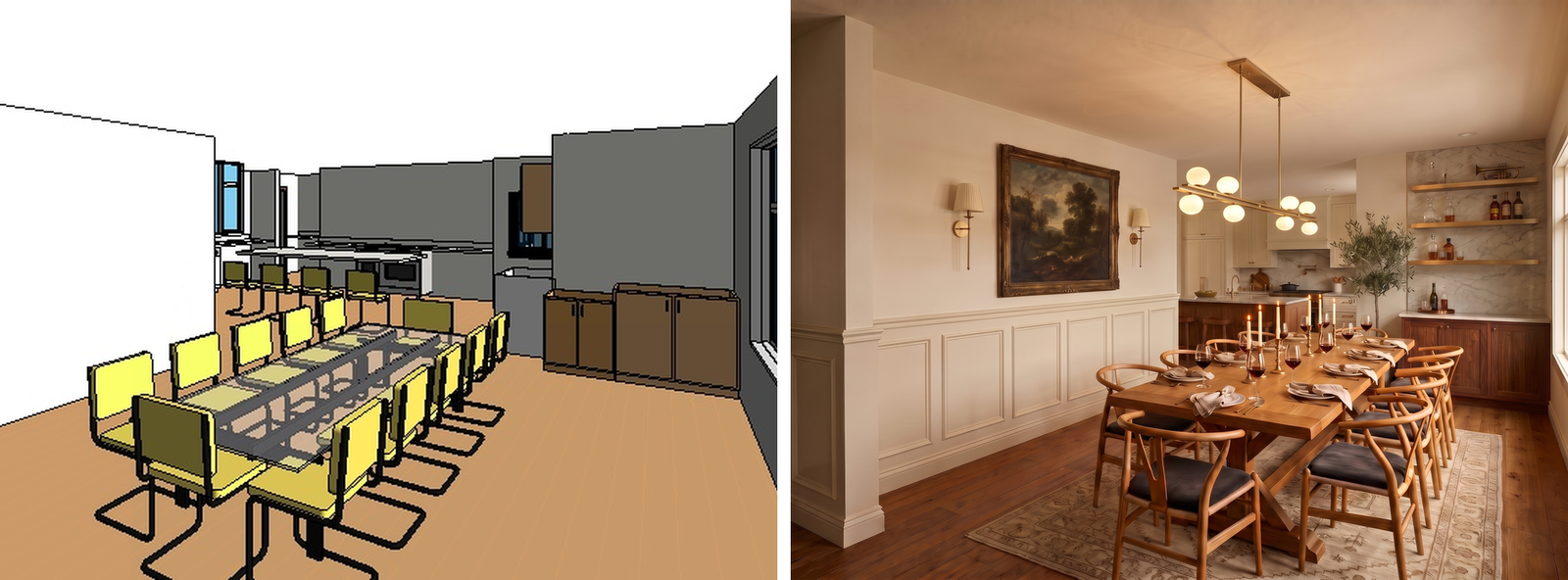
The model also provided the base for our interior design. As we worked through the house room by room, I had Mira put a 3D camera in every room and export the views to my desktop. Then I ran those views through Google's Gemini to test out finishes: cabinet colors, countertops, the range hood, lighting, the fireplace. We made almost 500 renders.
Having a real model made the renders useful. Without the model, I would ask Gemini to render the living room, and it would add random windows or change the room's size, making the finished product inaccurate. But with the actual 3D views from Mira, I wrote render instructions that treated the Revit views as the source of truth and changed only the finishes. This resulted in renderings that accurately reflected the room dimensions, allowing us to test out design options until we found one we liked.
What this means for architecture and engineering firms
Mira has improved a lot since I used it to redesign my house. It can now plan multi-step jobs instead of taking one request at a time, and it reads PDFs. It also has six new skills for the Revit jobs you would otherwise do one element at a time. Most of what improved in Mira came from watching architects and engineers use it on real projects.
My home remodeling project was a small test. Mira was built for the architects and engineers who have spent years bending Revit to their will. What I asked of it was elementary next to what our customers put it through every day.
A BIM team at a structural engineering firm has had Mira calculate steel tonnage, build framing elevations, and check that every column sits on a grid intersection. Another firm brought all its door families in line with a new shared parameter standard, work that usually takes days of opening each family by hand. Another team had Mira line up the views, legends, and title blocks on a run of sheets to match one sheet they had already set up. And many users apply it to automate repetitive work, like placing every door tag in the same spot on every view.
The impact we didn't expect is how much Mira helps junior designers learn Revit. At one architecture firm, the person who uses Mira most is an architectural designer, not the BIM manager. Revit has a steep learning curve, and designers climb it faster when they can ask how to do something and watch it happen in their own model. That was my experience with the family editor, too. For the steps themselves, we're writing a set of Revit how-to guides.
The role of the designer
Mira can make mistakes, so the user still needs to watch what it does and check its work. When I asked it to add a mirror above a cabinet, it put the mirror on the wall next to the cabinet, instead of the wall the cabinet was on. So I told it to put the mirror on the east wall, and it fixed it. Mira handles repetition and iteration, but the designer stays in charge.
Mira is free to download. Try Mira free on your own projects, and let me know how it goes. Running a team? Book a demo and we'll show you what it can do across your firm's projects.