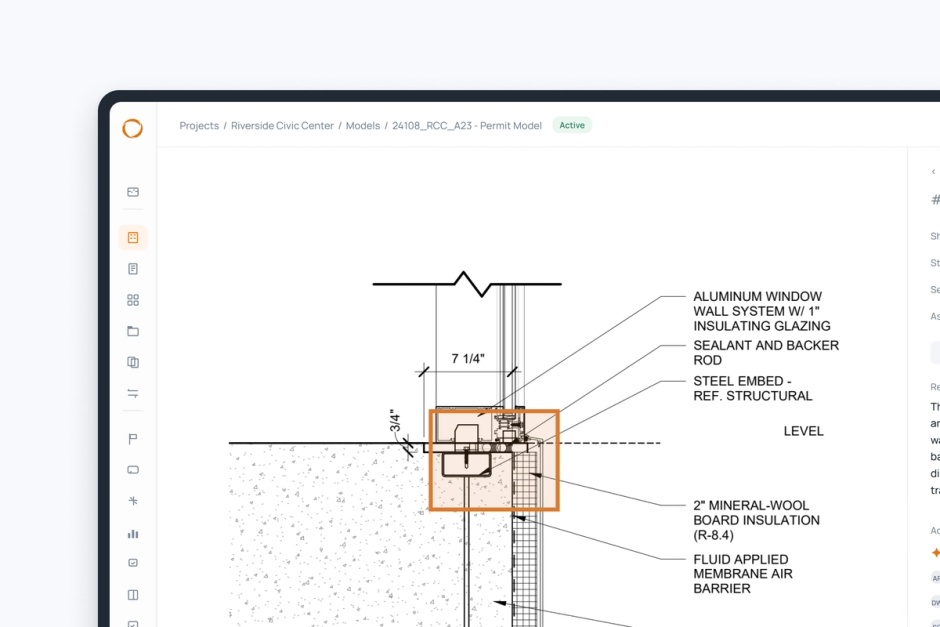
Meet Pirros Library Builder: Turn Your Best Details into Firm Standards
Introducing Pirros Library Builder, a smarter way to build and maintain your firm's standards library. Automatically group similar details, identify the best versions to standardize, and discover gaps in your library, all using work your firm has already done.

Every architecture and engineering firm has a standards library hiding in its past projects. The best version of almost every detail has already been drawn, built, and improved over years of work. Those details are spread across old projects, often in several slightly different versions.
However, turning them into firm standards has always been a manual process, whether it falls to a BIM manager to execute to the work, or a standards committee that meets regularly to review content together.
Now, Pirros Library Builder speeds up that work from start to finish.
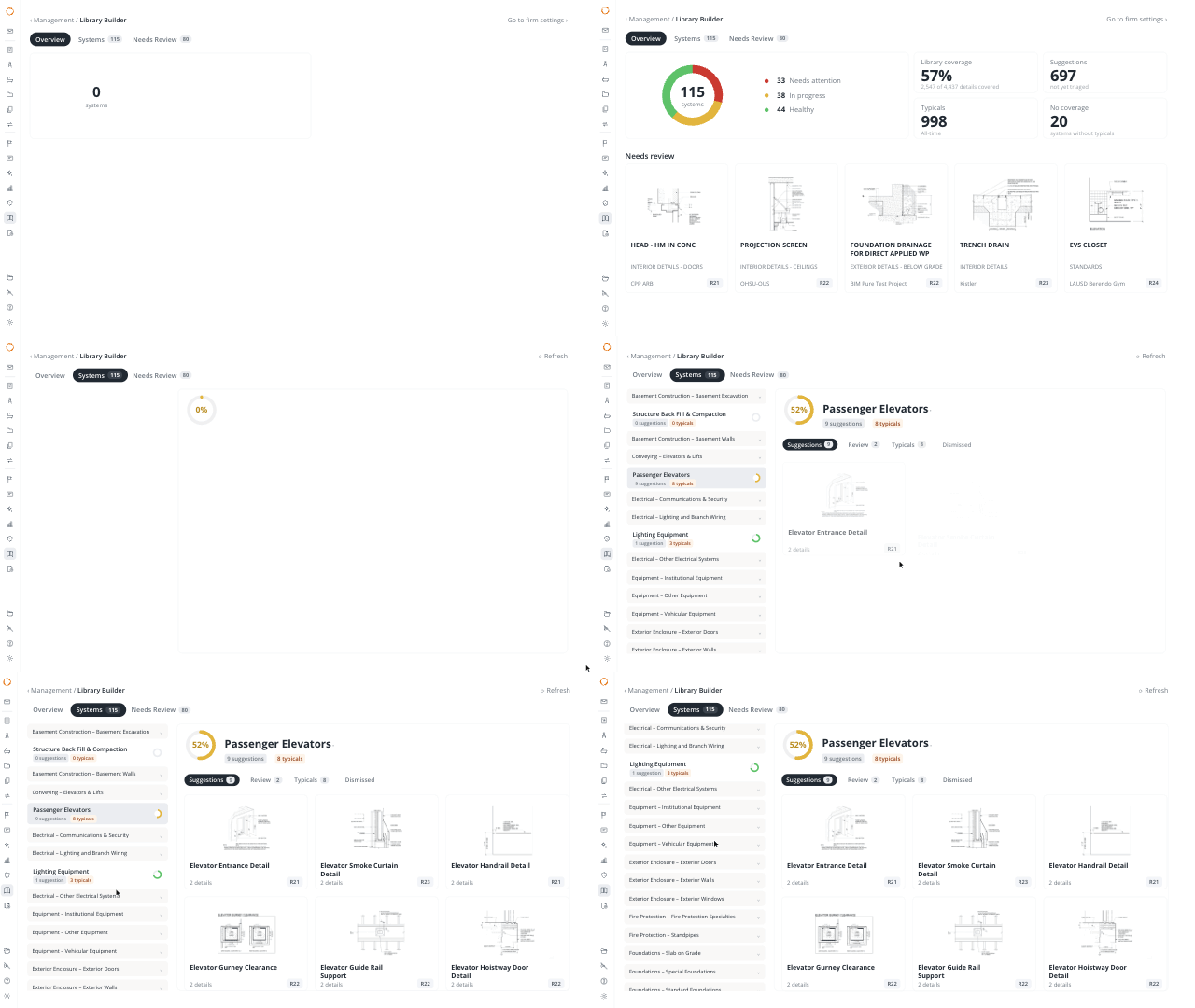
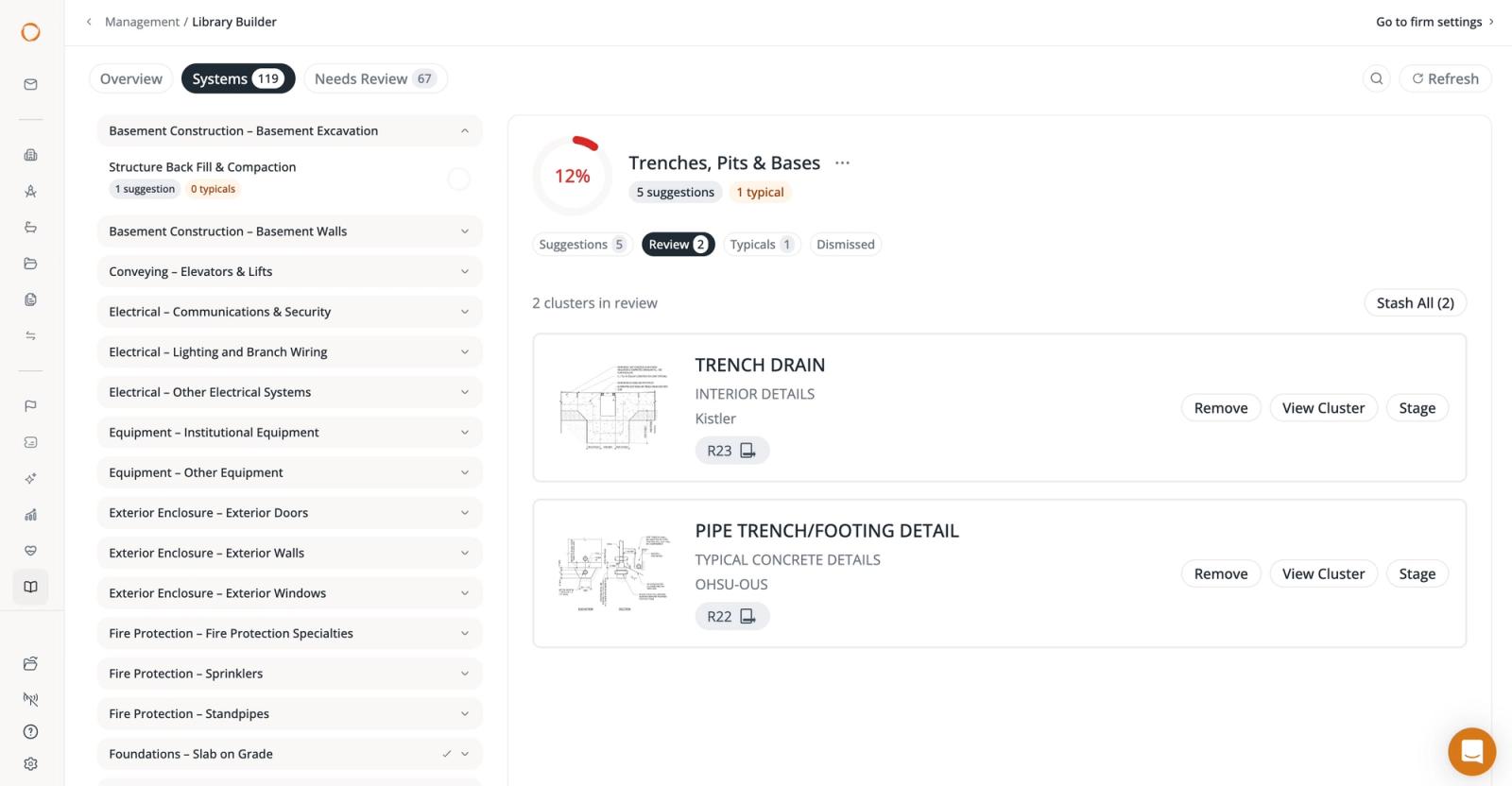
It organizes every detail in a firm's library by building system, groups the versions of each condition, and recommends which one should become the standard. It also scores how well each building system is covered and tracks every recommendation through review, and the firm makes every final call.
Here's everything you need to know about Pirros Library Builder.
How details get drawn a dozen ways
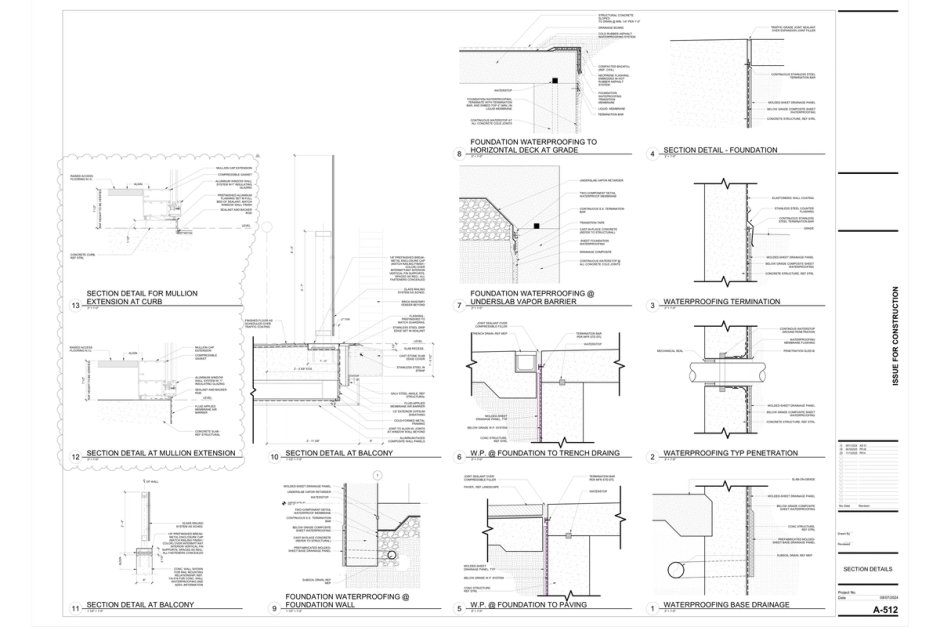
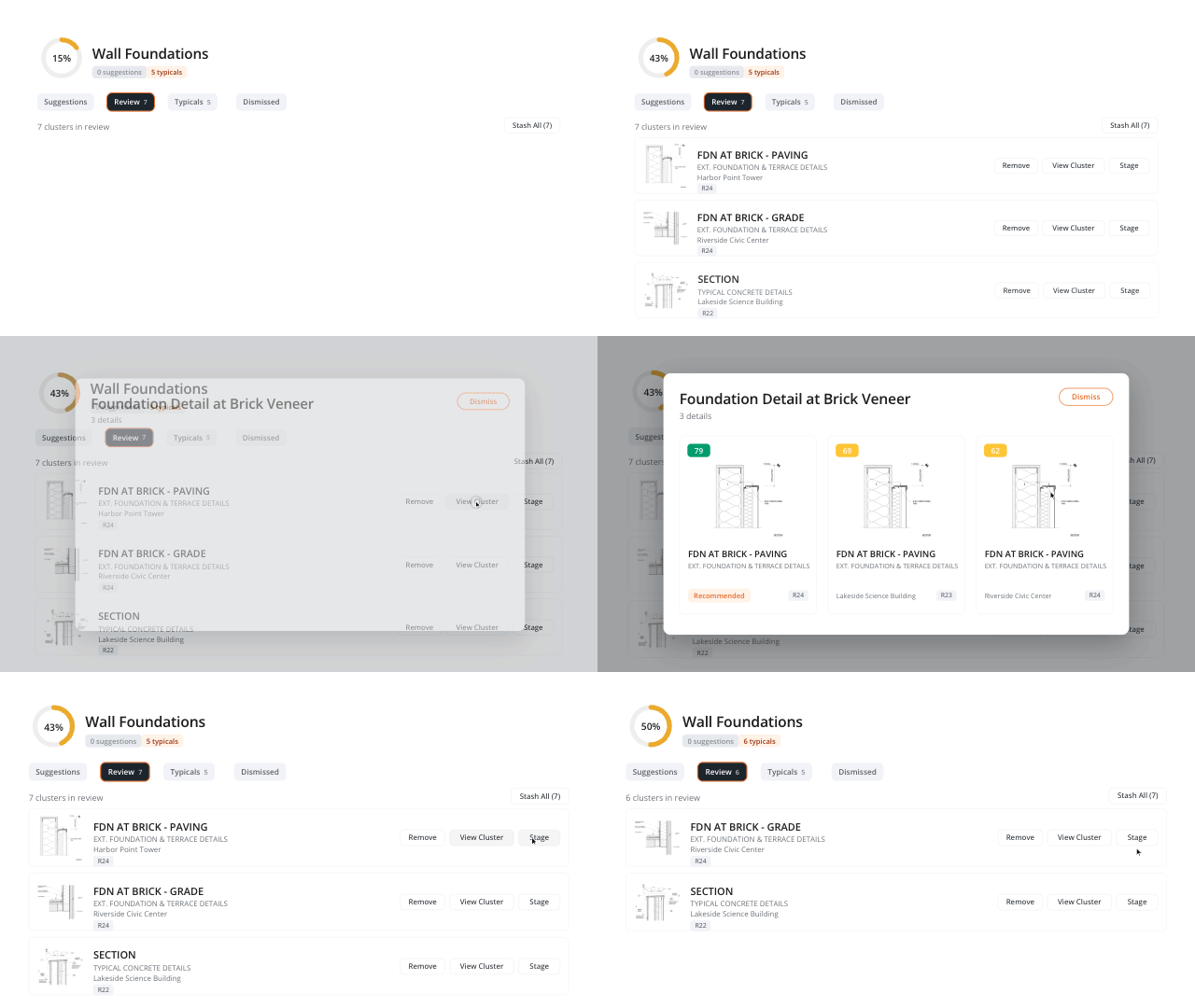
When a new project is undertaken, details typically gets copied from the last similar project, adjusted for the new project, and saved. Over years, across offices and project types, those small changes add up to a detail library full of near-copies, with no clear way to tell which one is the vetted and approved version.
A standards library solves this problem, but building one that covers everything a firm needs is slow, tedious work. Someone has to open old projects, compare details side by side, choose the strongest, and clean it up, usually while project deadlines keep on coming.
Pirros Library Builder was built to take that work off your team's plate.
What Library Builder does
Library Builder looks at each detail to figure out what it shows and which building system it belongs to. A wall section gets categorized with the other wall sections, no matter what the file is called. From there, it answers three questions that firms have always had to work out by hand:
- Which details do we draw over and over?
- Within each group, which version should become the standard?
- Which building systems are well covered, and where is nothing standardized yet?
The answers don't go stale. Library Builder re-runs every week, so its recommendations keep up with the projects a firm uploads.
How it works
Library Builder works from the details already in a firm's Pirros library, including details from uploaded past projects.
- Classification. Each detail is filed under ASTM Uniformat II, the industry-standard grouping of building systems, from substructure and shell to interiors and services.
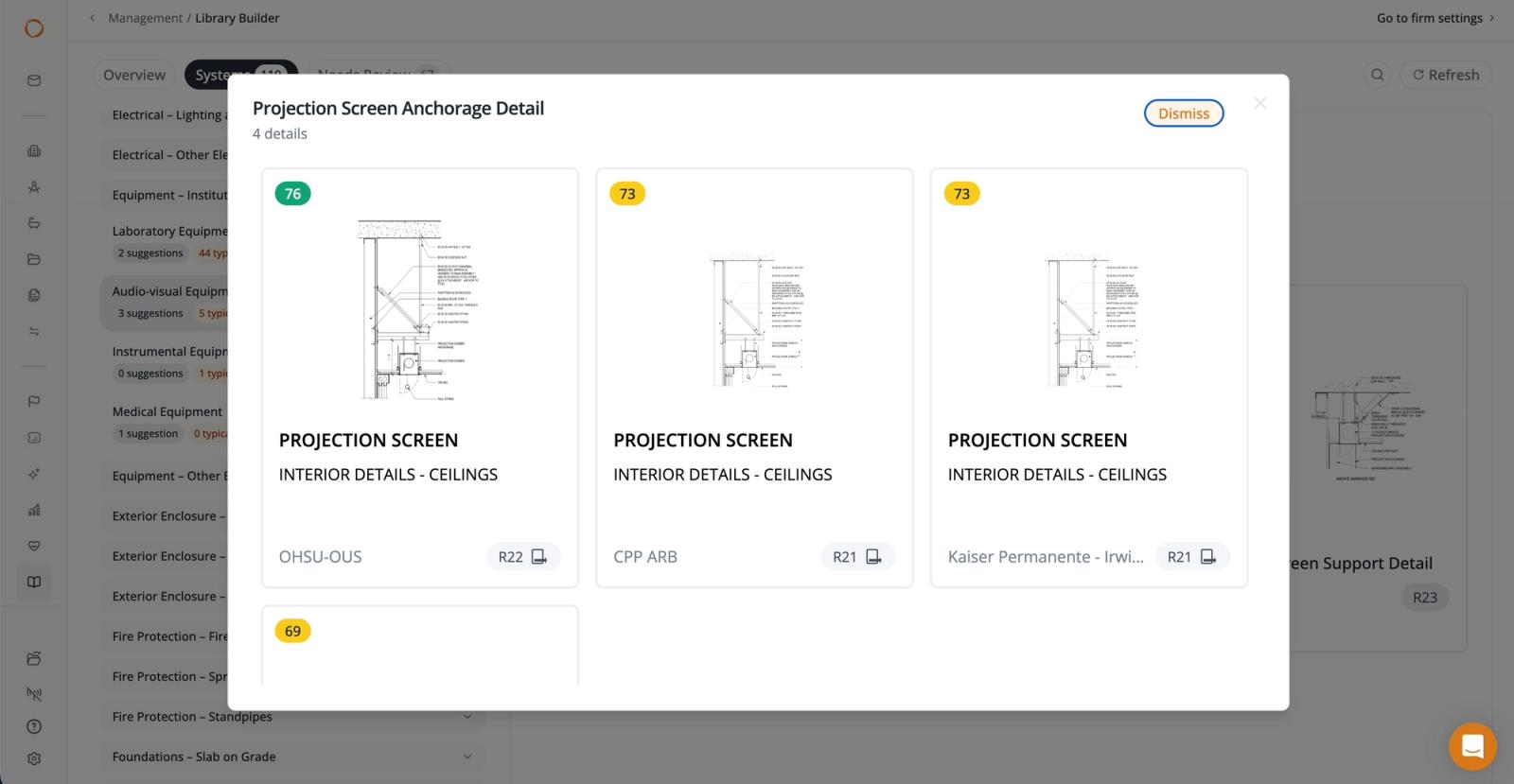
- Grouping. Details that show the same condition are grouped together, regardless of which project or office they came from or how they were named.
- Recommendation. For each group that is reused often enough, Library Builder recommends one detail as the standard. It weighs how often each version has been reused and its health score.
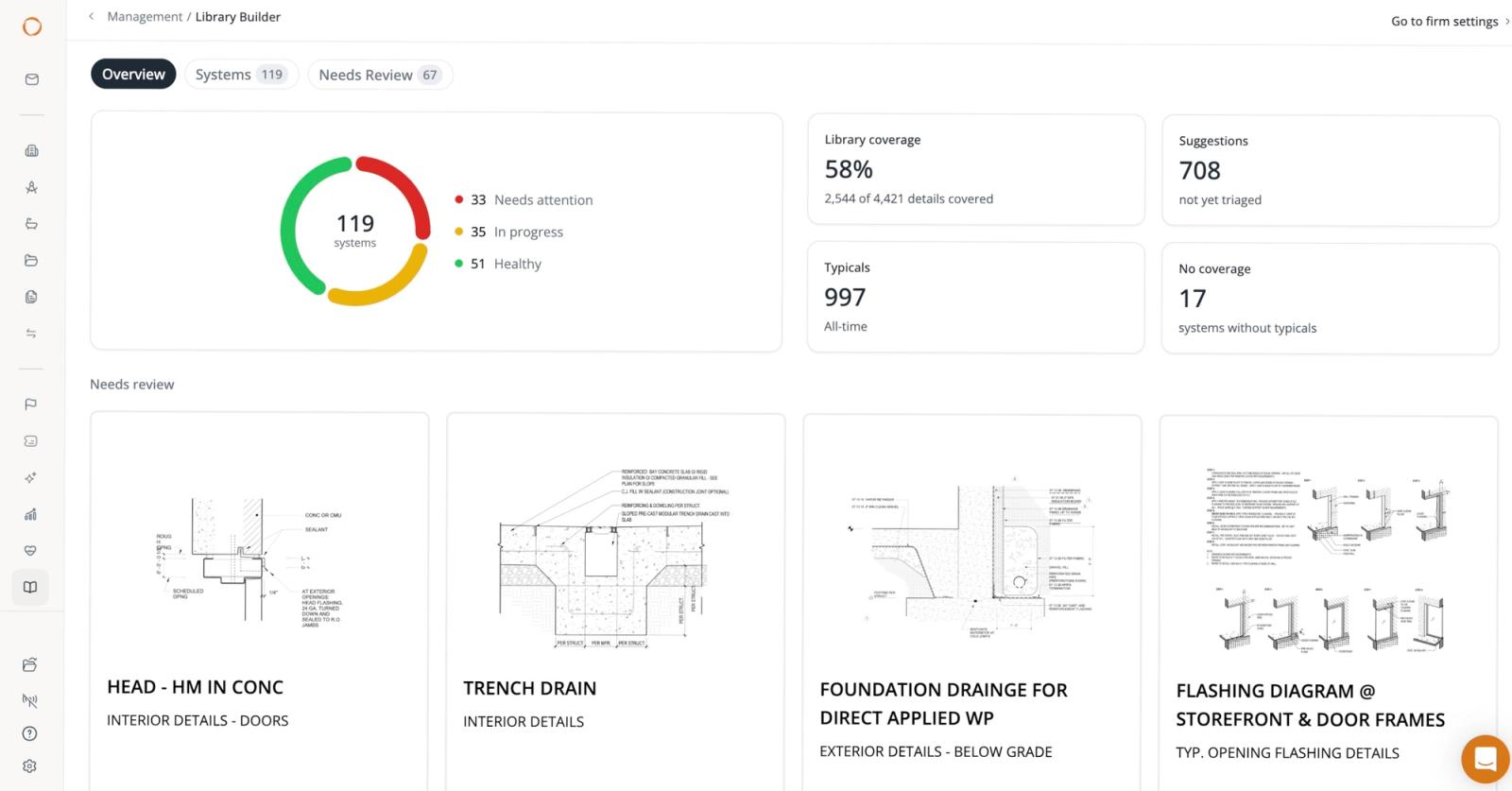
- Coverage. Each building system gets a coverage score showing how well the firm's standards cover it.
Pirros health scores evaluate individual details for potential issues such as misspellings, crossing leaders, overlapping text, and leaders that don't connect to geometry. Each score comes with an explanation of the findings, giving reviewers additional context when evaluating a recommendation.
These scores help inform the review process, but they don't replace your firm's own technical judgment or approval requirements.
Reviewing recommendations
Library Builder doesn't approve anything on its own. Every recommendation moves through your firm's review process, and someone at your firm ultimately decides what becomes a standard.
The Overview tab collects suggestions from every building system into one queue. It's a practical place for a BIM manager or a standards committee to start a review session. The queue stays accurate on its own. Library Builder re-runs weekly to include new uploads, and a suggestion resolves itself once the firm uploads a standard that covers it.
Ways to use Library Builder
- Building a first standards library. Firms without a formal library can upload recent projects and start with the recommendations Library Builder makes. Those come from the conditions the firm draws most often.
- Consolidating an existing library. Firms with a library can see which details are near-copies of each other and decide which version to keep as the standard.
- Planning standards work. Coverage scores show which building systems need attention. A standards committee might take one building system per meeting and work through its suggestions.
- Aligning across offices. When offices draw the same condition differently, their versions land in the same group, so the firm can compare them side by side and agree on one.
How Library Builder benefits your firm
- Work smarter, not harder. The searching, sorting, and side-by-side comparison are done before a review starts, so BIM managers and standards committees spend their time on judgment calls.
- Standards come from proven work. Recommendations are drawn from details the firm has already used on real projects, weighted by how often they're reused and how clean they are. Teams recognize them because they drew them.
- More consistent drawing sets. When teams start from one approved version of a condition, fewer variations reach construction drawings, and fewer inconsistencies need to be caught in review or in the field.
- A clear picture of progress. Coverage scores show where standards are strong and what to tackle next, which also makes standards work easier to explain to firm leadership.
- Decisions stay on record. Approvals and dismissals carry forward from week to week, so settled questions don't come back up when people change roles or committees turn over.
Getting started
Here how your firm can get up and running with Library Builder:
- Upload past projects. Library Builder can only group and compare what's in the library. Five to ten recent projects is a good base, and more projects give it more to work with.
- Keep project details after uploading. They're the record Library Builder compares against, so avoid deleting them unless they contain errors.
- Bring in existing standards. If the firm already has standard details, uploading them lets Library Builder resolve suggestions they already cover.
- Start with the Overview tab. It shows every open suggestion in one place.
Once a detail is approved, it works like any other standard in Pirros. Teams can find it in search, add it to firm stashes for each project type, and place it into Revit from Pirros in Revit. The analysis stays inside the firm's own Pirros workspace. Pirros does not use project data to train external AI models.
Ready to try Pirros Library Builder? If you’re already on Pirros, your customer service manager can show you how to get set up. And if you’re new to Pirros, we invite you to book a demo with our team.