Pirros Max: Take Pirros Further Across Your Firm
Discover Pirros Max, including AI and API integrations, custom workspaces, roles, SSO, shared workspaces, and advanced controls for managing your firm's project knowledge.

Your firm's project knowledge is already connected in Pirros. Max takes that foundation further, giving your teams more ways to access that knowledge, collaborate across offices, and connect Pirros to the technology they already use.
Designed for firms looking for greater flexibility and control, Max brings together advanced integrations, workspace management, and collaboration tools.
What Pirros Max adds:
- Pirros Connections. Connect your library to AI assistants like ChatGPT and Claude through the Pirros MCP, or build custom integrations with the Pirros API.
- Roles, workspaces and SSO. Organize content across offices and teams with separate workspaces, custom permissions, and simplified user management.
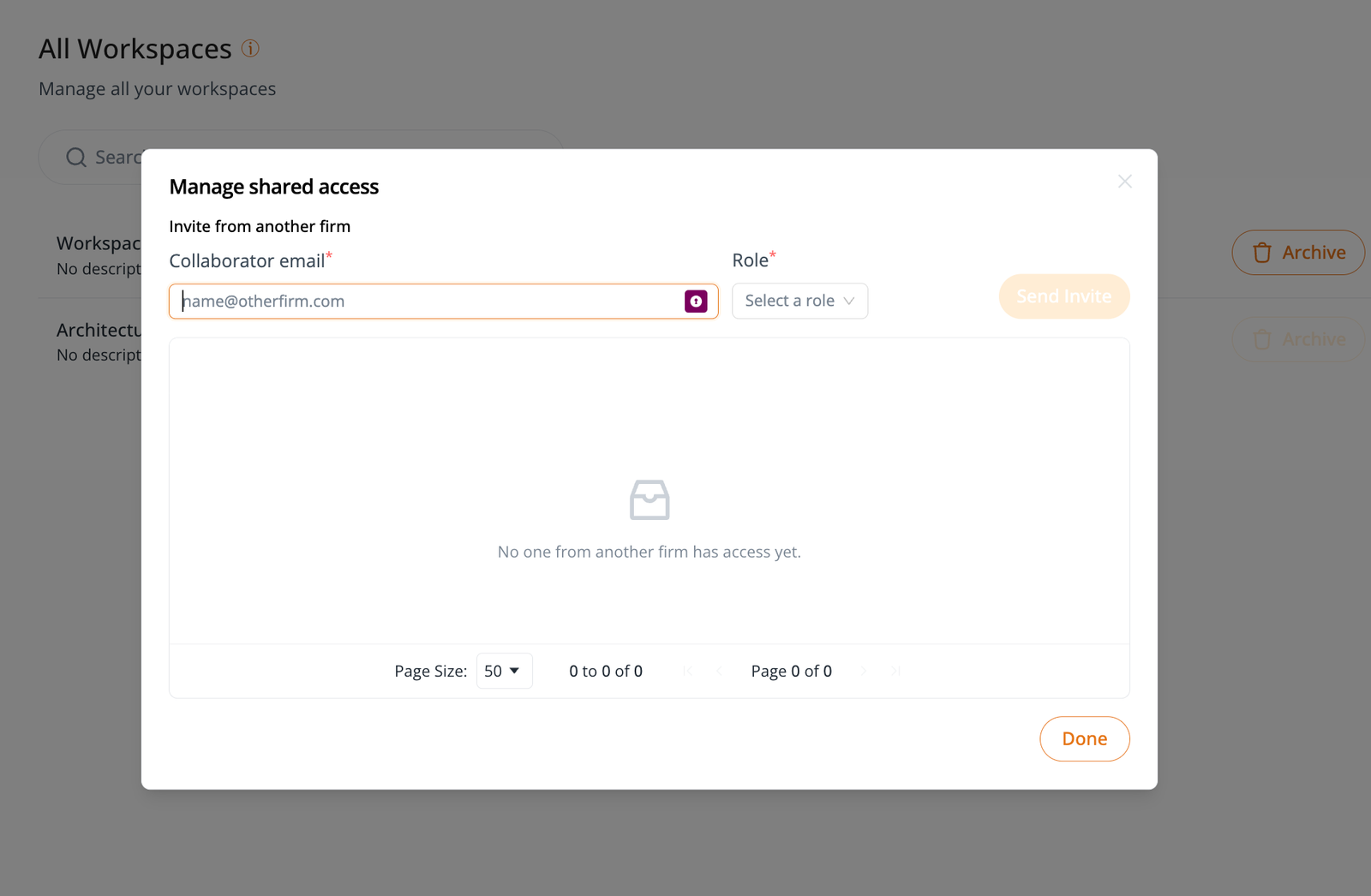
- Shared Workspaces. Bring partner firms into a common workspace to share and collaborate on project content.
- Controls and security. Manage external connections, control access to firm content, and protect your data with enterprise-grade security.
Pirros Connections
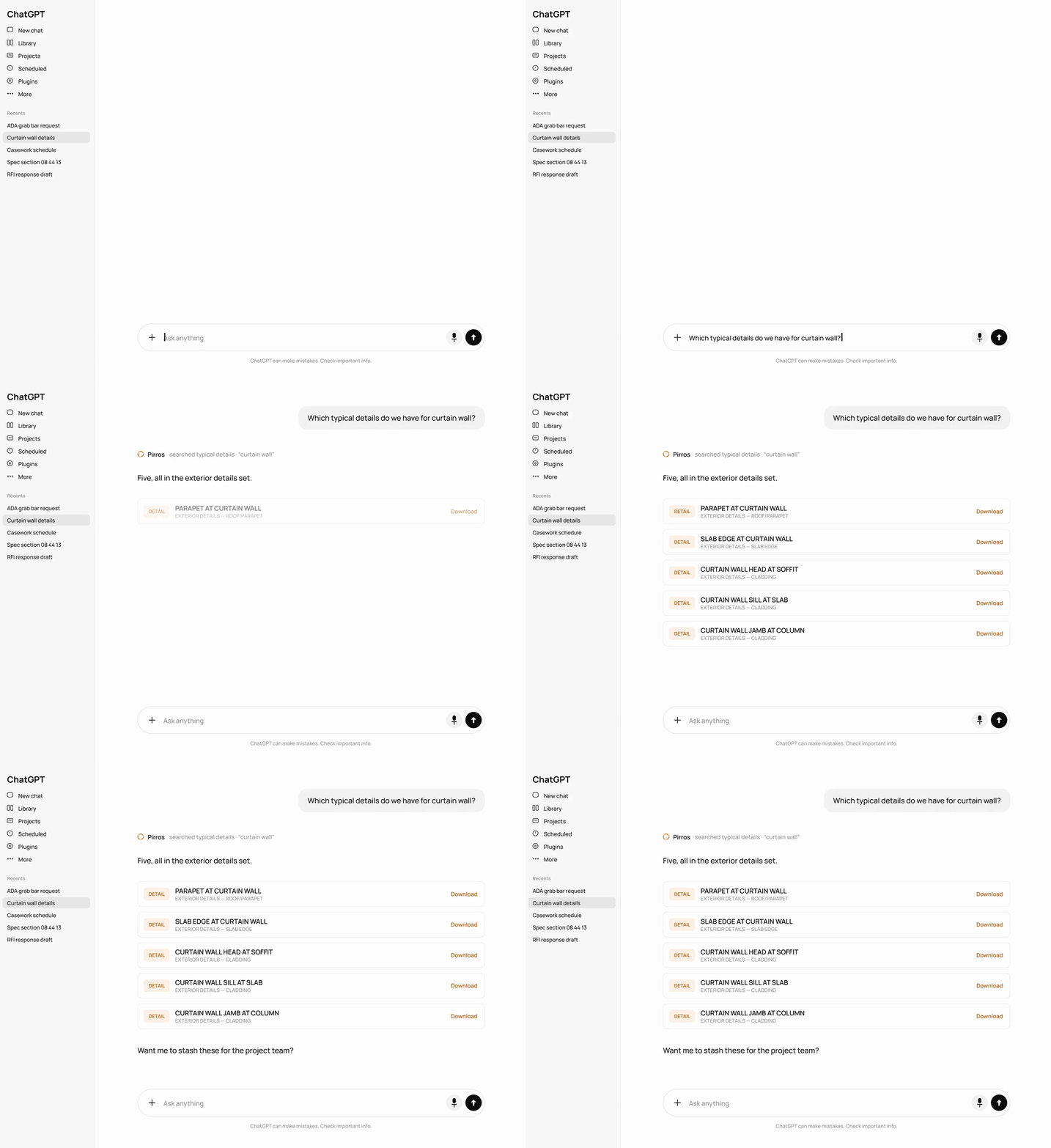
Imagine asking ChatGPT or Claude for a standard detail from your firm's library, or pulling Pirros content directly into a custom Revit tool. With Pirros Connections, you can.
AI assistants, through the Pirros MCP
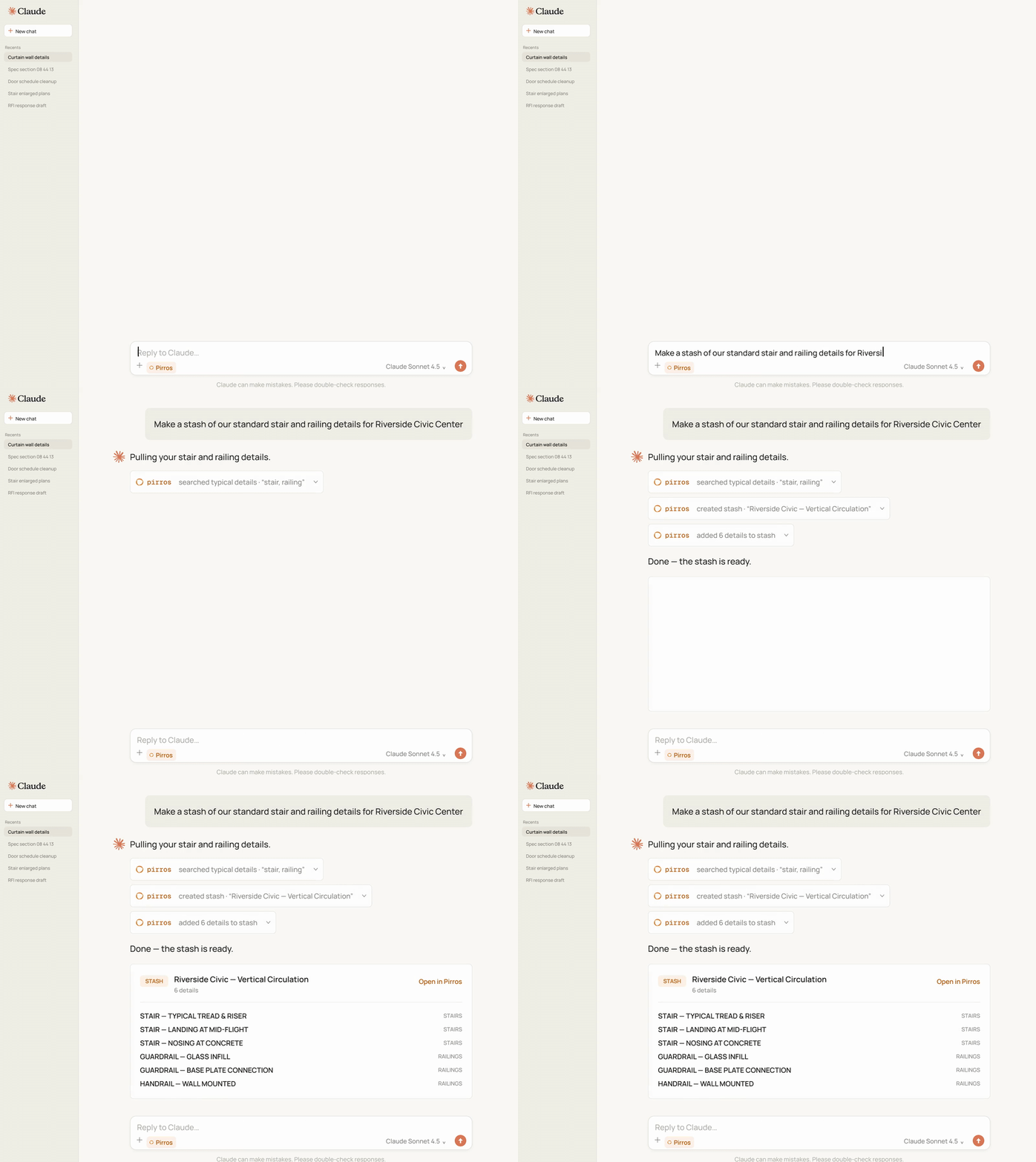
Connect Pirros to ChatGPT, Claude, Cursor, Codex, and more. Give your team direct access to your firm's Pirros library through the AI tools they already use.
- Ask in the chat you already use. Ask for your firm's details, families and stashes in Claude or ChatGPT.
- See what already exists. Retrieve information about your details and families, previews, and links to content in Pirros.
- Turn an answer into a stash. Ask your AI assistant to collect specific details into a Pirros stash the whole team can use.
- For the people who never open Revit. Project managers, principals, and spec writers can find what they need on their own.
Your tools & dashboards, through the Pirros API
The Pirros API lets your technology team pull Pirros content straight into the tools and dashboards your firm builds and maintains.
- Custom dashboards. Bring Pirros content into Power BI for reporting and analysis.
- Internal applications. Build tools that search, open, and download content directly from Pirros.
- Revit add-ins. Give custom Revit tools and add-ins access to your firm's existing library.
- Controlled integrations. Manage API access by workspace, content filters, and permitted actions.

Give every team the right content and the right access
Pirros Max gives you the flexibility to organize your library around how your firm actually operates, while keeping administration and access under control.
- Multiple workspaces. Create separate libraries for different offices, teams, or disciplines, each with its own content and standards.
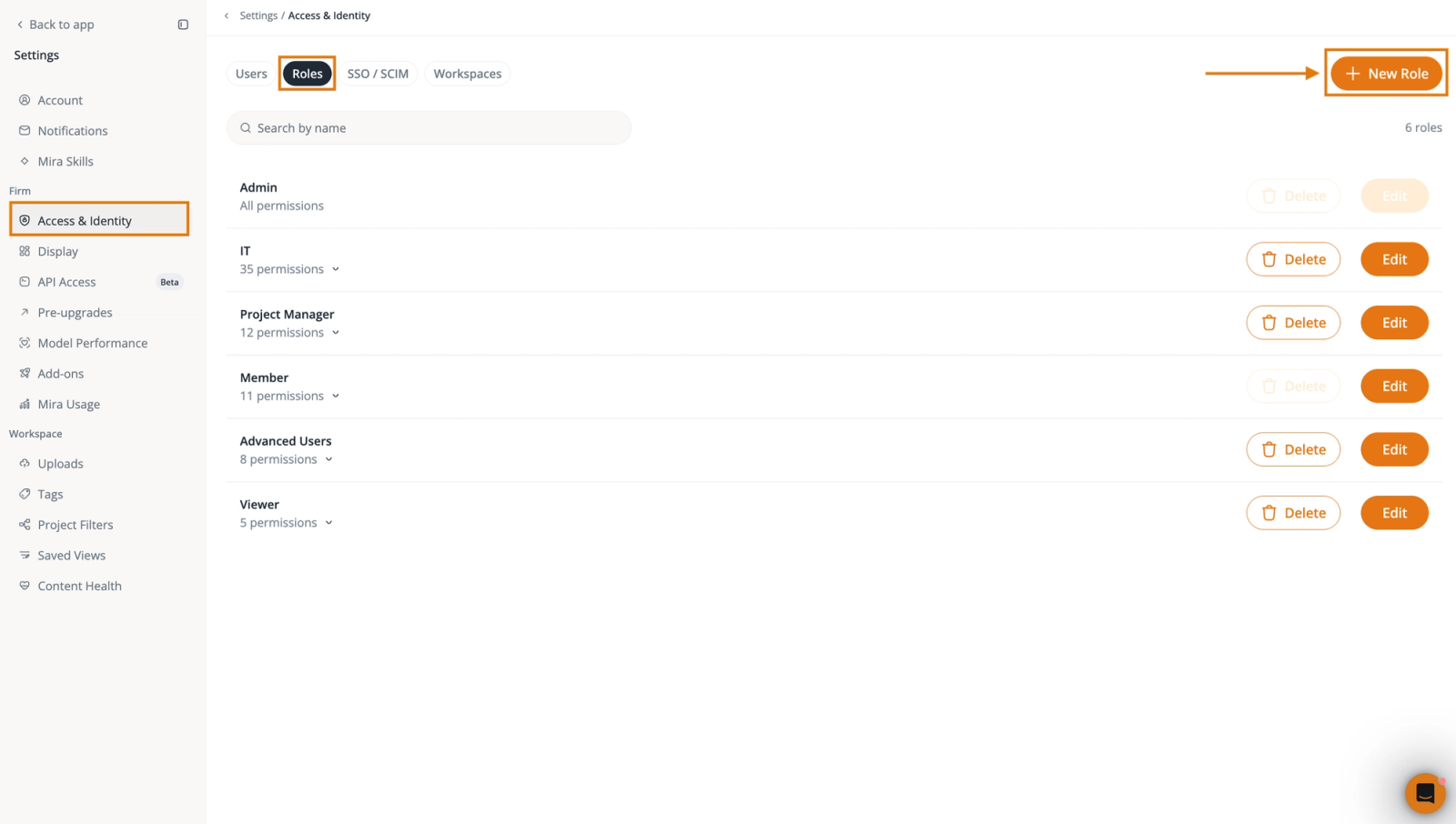
- Custom roles and permissions. Decide who can upload, edit, vet, publish, download, or administer content within each workspace.
- Flexible team access. Give users different roles across workspaces, such as an admin in one office and a contributor in another.
- Single sign-on and provisioning. Staff sign in with the account they already use, including Microsoft Entra ID, and SCIM adds and removes people as they join and leave.
Work together across firms, all in one workspace
With Shared Workspaces, Pirros Max lets you invite partner firms into a common workspace where teams can find, share, and contribute project content. The partner firm needs to use Pirros too.
- Collaborate with partners. Invite users from other firms that use Pirros into a shared project workspace.
- Work from the same content. Give project teams access to a common collection of project details and other content available in the workspace.
- Control what partners can do. Assign roles ranging from view-only access to contributing content.
- Keep firm libraries separate. Partners see only the workspace you've shared, while your other content and settings remain private.
Controls and security
Connecting your firm's knowledge to more teams and tools also means having clear control over who can access it. Pirros Max adds advanced controls for managing users, workspaces, and external connections, built on the security protections already in place across the Pirros platform.
- Controlled connections. Choose which AI tools and API keys can reach Pirros, and limit each one to certain workspaces, content, and actions.
- Manage and revoke access. Enable, restrict, disconnect, or revoke API and MCP credentials as your firm's needs change.
- Enterprise security. Pirros is SOC 2 Type II certified, supports GDPR and CCPA compliance requirements, and encrypts data at rest and in transit.
- Your firm's data stays yours. Firm data is isolated between customers, and Pirros never uses customer content to train AI models.
Your firm decides how its knowledge is shared, who can access it, and how connected tools can use it.
Get more out of Pirros with Max
Your firm has already built valuable knowledge across its projects. Max gives you more ways to put that knowledge to work, connecting teams, technology, and project partners while keeping your firm in control.
Already using Pirros? Talk to your customer success manager about turning Pirros Max on for your firm, or book a demo to see it.